
Smart Home & IoT Setup for Beginners: How to Build a Reliable Connected Home From Scratch
A smart home can start with something as simple as one smart bulb and eventually grow into a connected system that manages lighting, temperature, security, entertainment, energy use and everyday routines. The difficult part is not buying the devices. The difficult part is making those devices work together reliably.
If you are searching for a practical smart home setup for beginners, this guide is designed to help you build the system in the right order instead of filling your home with gadgets that each require a different application, account and troubleshooting method.
Quick answer: The best smart home setup is usually built in stages. Start with a dependable home network, choose one primary smart-home platform, select compatible devices, create useful automations, secure every account and only then expand the system.
What Is a Smart Home?
A smart home is a living space containing connected devices that can communicate with a network, respond to commands, collect information or perform actions automatically. The idea sounds futuristic, but the individual technologies are surprisingly ordinary.
A smart bulb can respond to an app. A motion sensor can detect movement. A smart plug can switch an appliance on or off. A temperature sensor can report room conditions. A door sensor can tell you whether an entrance is open. A voice assistant can combine many of these devices into a single interface.
The important distinction is that a smart home is not simply a collection of smart products. It is a system.
Imagine purchasing five different smart devices from five manufacturers. If every product uses a separate application and none of them can communicate, you have five connected gadgets rather than one coherent smart home.
A good IoT setup therefore focuses on compatibility, reliability, security and useful automation before decorative features.
Smart Home vs. IoT
The terms smart home and Internet of Things, or IoT, are closely related but are not identical. IoT describes the broader concept of physical devices communicating digitally. Smart homes are one consumer-focused application of IoT.
Your home router, smart television, connected thermostat, security camera, sensor and lighting system can all participate in an IoT environment. Some communicate through Wi-Fi, while others may use technologies such as Thread, Zigbee, Bluetooth or another local protocol.
Understanding this distinction becomes useful when you begin expanding your system because different devices may use different communication methods.
What to Do Before Buying Smart Devices
One of the most expensive smart-home mistakes is buying first and planning later. A better approach is to spend 30 minutes designing the system before spending money.
Start With Problems, Not Products
Ask yourself what you want the smart home to accomplish.
- Do you want lights to turn on automatically?
- Do you want to monitor doors and windows?
- Do you want to reduce unnecessary energy consumption?
- Do you want easier control of appliances?
- Do you want temperature automation?
- Do you want remote notifications?
- Do you want a safer nighttime routine?
- Do you simply want convenient voice control?
Your answers should determine which devices you purchase.
For example, if your main problem is forgetting to switch off a lamp, a smart plug may be more useful than a sophisticated smart display. If your problem is walking through a dark hallway at night, a motion sensor paired with a smart light may provide a better experience than purchasing another voice assistant.
Map Your Home
Make a simple room-by-room list:
| Room | Possible Devices | Useful Automation |
|---|---|---|
| Living room | Lights, plugs, speaker, TV | Movie mode, evening lighting |
| Bedroom | Lights, temperature sensor, blinds | Night mode, wake-up routine |
| Kitchen | Plugs, lights, leak sensor | Morning lighting, safety alerts |
| Hallway | Motion sensor, smart bulb | Automatic nighttime lighting |
| Entrance | Door sensor, camera, smart lock | Arrival and departure routines |
This simple map prevents random purchases and makes your eventual automation system easier to understand.
Build the Network First
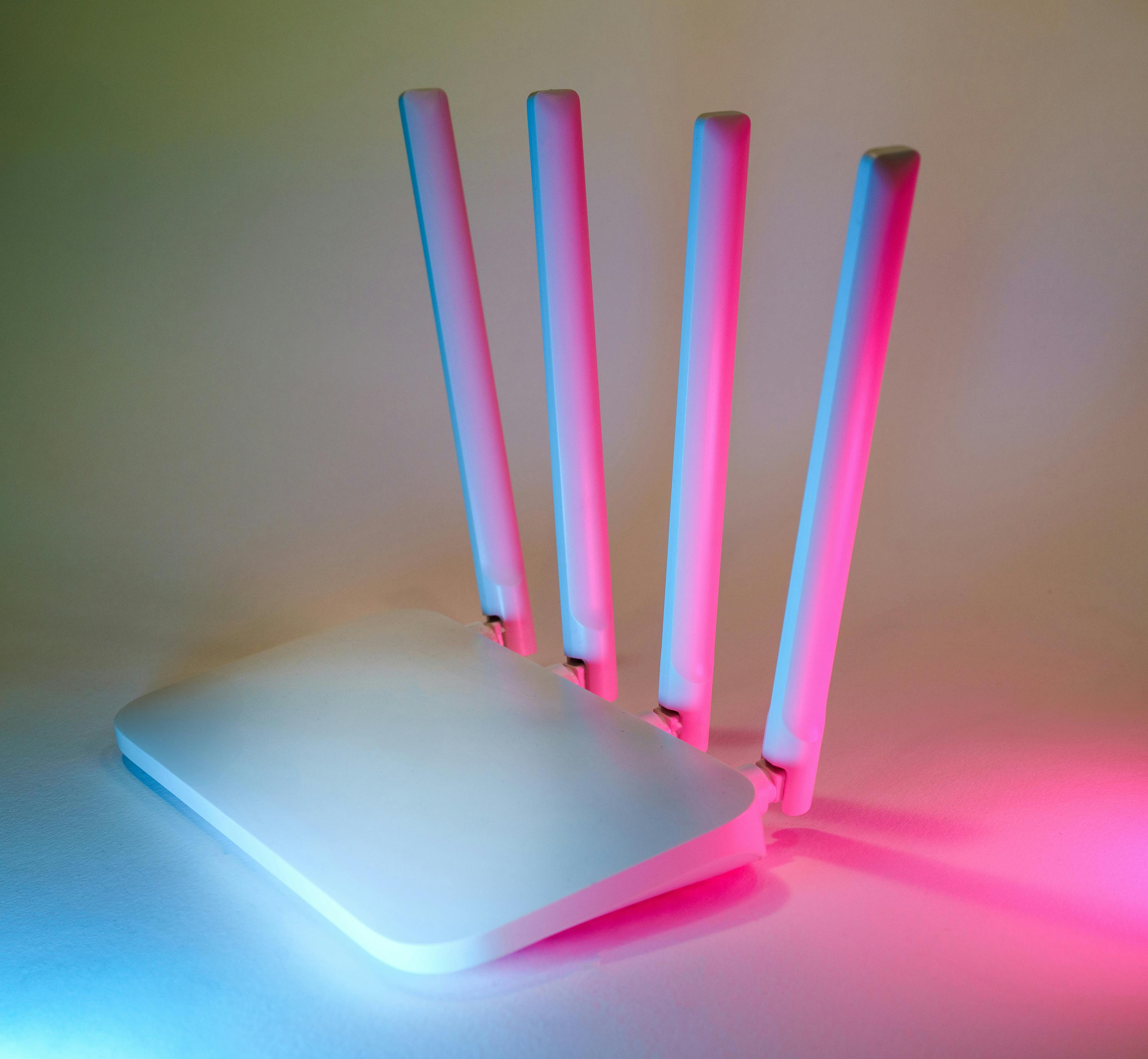
Your smart home is only as reliable as the communication infrastructure underneath it. If the network is unstable, adding more smart devices will not solve the problem.
Before installing smart bulbs, cameras or sensors, test your Wi-Fi in the rooms where you expect to use connected devices.
Why Wi-Fi Coverage Matters
A phone may appear to have usable Wi-Fi while a small smart device struggles to maintain a stable connection. Devices installed near exterior walls, garages, utility rooms or distant bedrooms may experience weaker signals.
If your home has weak coverage, consider improving the network before buying dozens of connected devices.
2.4 GHz and 5 GHz
Many inexpensive Wi-Fi smart-home products use the 2.4 GHz band because it generally provides better range through walls. Some modern products support both bands, while others have specific setup requirements.
Amazon's current Alexa support documentation also notes that many Wi-Fi smart-home devices operate on 2.4 GHz networks. :contentReference[oaicite:1]{index=1}
If a device refuses to connect during setup, checking the manufacturer's Wi-Fi requirements is often more productive than repeatedly restarting the device.
Do You Need a New Router?
Not necessarily.
If your existing network is stable, has good coverage and can handle your current devices, you may not need to replace it simply because you are starting a smart home.
Upgrade when you have a real problem: dead zones, frequent disconnects, insufficient capacity, outdated security features or poor coverage in important areas.
Choose Your Smart Home Platform
Your smart-home platform is the software layer through which you organize and control compatible devices.
Common ecosystems include Google Home, Amazon Alexa and Apple Home. Other platforms and manufacturer-specific systems can also play important roles.
The best platform is not necessarily the one with the most features. It is the one that works well with the devices you already own and the devices you expect to buy later.
Consider These Five Questions
- Which phones and devices does your household already use?
- Which voice assistant do you prefer?
- Which smart-home devices do you already own?
- Which platforms support the devices you plan to buy?
- Can family members easily control the system?
A household with several people should avoid designing a system that only one person understands. Simple naming, shared access and predictable automations are more valuable than complicated scenes nobody remembers how to edit.
Why Platform Compatibility Matters
Smart-home compatibility has historically been complicated. A device could support one assistant but not another, or provide some features in one application while hiding them from another.
Newer standards are intended to reduce some of these compatibility problems. Matter, in particular, is designed to make compatible smart-home devices easier to use across participating platforms. Google describes Matter as an industry standard intended to improve compatibility, setup, security and reliability. :contentReference[oaicite:2]{index=2}
Matter and Thread Explained Without the Technical Jargon
If you have recently researched smart-home equipment, you have probably seen the words Matter and Thread.
They are related, but they solve different problems.
What Is Matter?
Matter is a smart-home connectivity standard designed to improve interoperability between compatible devices and smart-home platforms.
Instead of treating every manufacturer's ecosystem as a completely separate island, Matter gives compatible products a common framework for communication.
Matter-enabled products can potentially be controlled from multiple supported smart-home platforms. Google specifically documents cross-platform control for Matter devices, including Google Home, Apple Home and Amazon Alexa. :contentReference[oaicite:3]{index=3}
What Is Thread?
Thread is a low-power IPv6-based mesh networking technology. It is particularly relevant to battery-powered and low-power smart-home devices.
Think of it this way:
- Matter: a common language and application standard.
- Thread: one way compatible devices can communicate across a network.
- Wi-Fi: another common networking method used by many smart-home products.
A Matter device can therefore use Wi-Fi or Thread depending on the product.
Google notes that Matter devices using Thread require a Thread Border Router for setup. :contentReference[oaicite:4]{index=4}
Amazon's current documentation similarly describes Thread as an IPv6 mesh technology and explains that compatible Echo and eero devices can act as Thread Border Routers. :contentReference[oaicite:5]{index=5}
Should a Beginner Buy Matter Devices?
In many cases, choosing Matter-compatible products can be a sensible future-oriented strategy, particularly if you want flexibility between supported platforms.
However, do not purchase a product solely because the box says Matter. Check the specific device type, required hub or border router, supported features and your chosen platform.
The Best Beginner Smart Home Setup
You do not need twenty devices to create a useful smart home.
A practical starter system can contain:
- One reliable smart-home platform
- Two or three smart lights
- One or two smart plugs
- One motion sensor
- One door or window sensor
- One compatible smart speaker or hub if required
That is enough to learn the fundamentals of device pairing, naming, rooms, routines, scenes and troubleshooting.
Why Start Small?
Every connected device introduces another variable.
If ten devices are installed simultaneously and one fails, determining the cause can become difficult. If you install one category at a time, you can test the system after every stage.
A good expansion sequence is:
- Network
- Platform or hub
- Lighting
- Smart plugs
- Sensors
- Security devices
- Advanced automations
Smart Lighting: The Easiest Place to Start
Smart lighting is popular because the result is immediately visible.
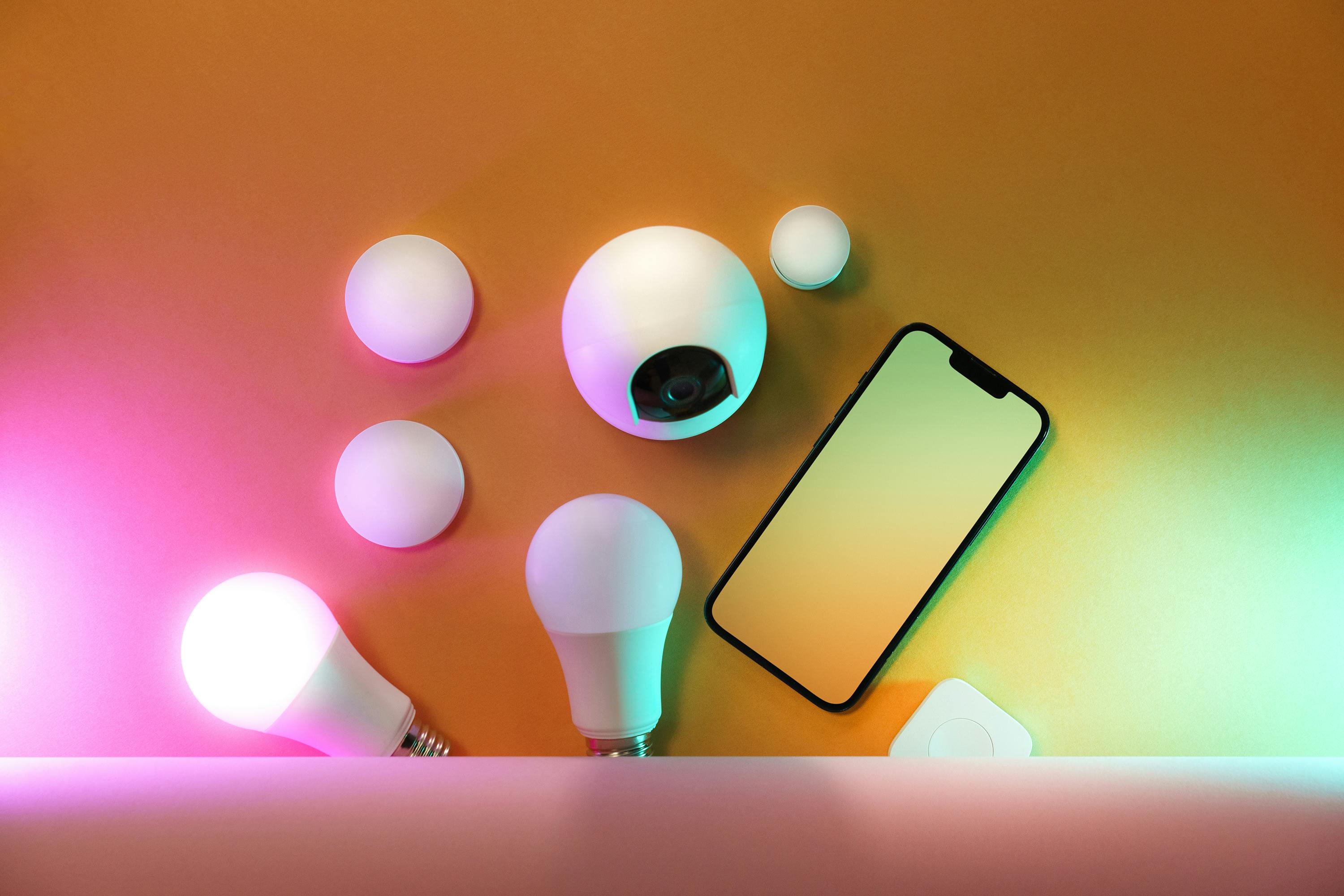
Instead of manually turning every light on and off, you can create routines based on time, occupancy or other conditions supported by your platform.
Smart Bulbs vs. Smart Switches
Smart bulbs are usually easier for renters and beginners because installation can be as simple as replacing an existing bulb.
Smart switches can be more practical for permanently installed lighting because they preserve a familiar wall-control experience.
There is an important difference, however: electrical work may require appropriate knowledge and may be subject to local electrical regulations. If a switch installation involves mains wiring, use a qualified professional when you are not confident doing the work safely.
Useful Lighting Automations
- Turn entry lights on around sunset.
- Dim bedroom lighting before bedtime.
- Turn hallway lighting on when motion is detected at night.
- Switch selected lights off when everyone leaves.
- Create a reading scene with a comfortable brightness level.
The goal is not to automate every light. The goal is to remove repetitive actions that genuinely annoy you.
Smart Plugs and Switches: Small Devices With Big Practical Value
A smart plug is one of the most versatile beginner devices because it can make certain ordinary appliances remotely controllable.
Examples may include lamps, fans and other compatible appliances, provided the smart plug is rated appropriately for the load.
Never exceed the electrical rating of a smart plug, and do not assume that every high-power appliance is suitable for automation through a consumer smart plug.
Practical Smart Plug Ideas
- Turn a desk lamp on before you enter your office.
- Switch decorative lighting off automatically.
- Create a morning routine for selected low-power appliances.
- Monitor the power use of supported equipment if the plug provides energy monitoring.
One of the best uses of smart plugs is not remote control. It is creating predictable schedules.
Sensors Are What Make a Smart Home Feel Smart
Many beginners concentrate on controllable devices and overlook sensors.
Sensors are important because automation needs information.
A light cannot intelligently react to occupancy unless something detects occupancy. A notification about an open door requires a sensor or another source of information.
Useful Sensor Types
| Sensor | What It Detects | Example Automation |
|---|---|---|
| Motion sensor | Movement | Turn hallway light on |
| Door sensor | Open or closed state | Send an alert when a door opens |
| Temperature sensor | Room temperature | Trigger climate-related routines |
| Leak sensor | Water presence | Send an emergency notification |
| Light sensor | Ambient brightness | Adjust lighting conditions |
Think in Triggers and Actions
A simple smart-home automation normally contains three elements:
Trigger → Condition → Action
For example:
Trigger: Motion detected.
Condition: It is nighttime.
Action: Turn hallway light on at reduced brightness.
This structure is much more powerful than simply telling a light to turn on at a specific time.
Smart Home Security: Cameras, Locks and Sensors
Connected security devices can provide useful awareness, but they should be installed carefully.
A smart camera, door sensor or lock creates a different category of risk because it can involve sensitive information about your home and household.
Start With Visibility
Door and window sensors can provide basic information without recording video.
For some households, this is enough. A notification that a particular entrance opened may be more useful than recording everything happening around the property.
If You Install Cameras
- Use strong account authentication.
- Enable available security updates.
- Choose carefully where cameras are pointed.
- Avoid unnecessarily recording private areas.
- Understand where recordings are stored.
- Review sharing permissions.
Smart Locks Require Extra Planning
Smart locks can be convenient, but reliability matters more than novelty.
Before purchasing one, investigate battery behavior, physical key backup, emergency access, compatibility with your door and the manufacturer's support policy.
A smart lock should improve your normal routine without creating a new single point of failure.
Smart Thermostats and Temperature Automation
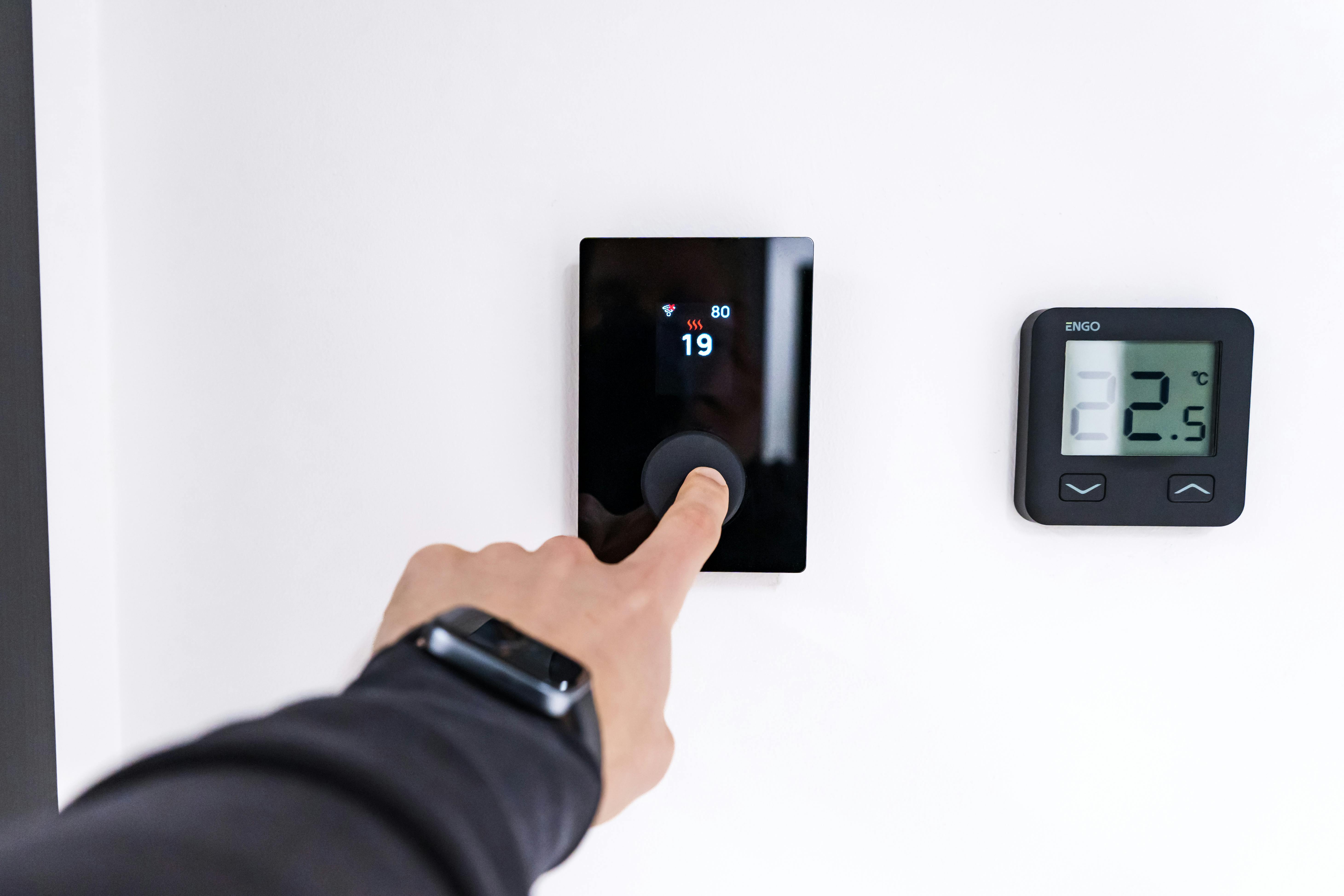
Climate control can be one of the most valuable smart-home categories because it affects comfort and potentially energy consumption.
But temperature automation should be approached carefully.
Instead of constantly changing the thermostat, begin with simple schedules based on your normal routine.
For example, a home might use one comfortable setting during active daytime hours and another during sleeping hours.
If your system supports room sensors, they may help you understand temperature differences between parts of the home.
Avoid aggressive automation that constantly fights your manual preferences. Smart automation should reduce mental effort, not create another system that needs supervision.
Energy Monitoring: Turn Smart Devices Into Useful Information
One underrated benefit of an IoT home is visibility.
When compatible smart plugs, meters or appliances provide energy information, you may discover patterns that were previously invisible.
Instead of guessing why electricity consumption seems high, you can investigate which equipment operates frequently or for long periods.
Questions Worth Asking
- Which devices operate for the longest periods?
- Are lights being left on unnecessarily?
- Does a particular appliance run during hours when nobody uses it?
- Could schedules reduce unnecessary operation?
- Are standby loads significant enough to investigate?
The goal is not to turn the entire home into a spreadsheet. Use energy data only when it helps you make a better decision.
How to Create Smart Home Automations That Actually Help
Automation is where a collection of connected devices becomes a genuine smart home.
However, more automation is not automatically better.
Automation Rule #1: Automate Repetition
If you perform the same action every day, it is a strong automation candidate.
Examples include turning lights on at a certain time, switching a device off when leaving, activating a bedtime scene or receiving an alert when a door remains open.
Automation Rule #2: Keep Important Automations Simple
A complicated automation involving six conditions may be impressive but difficult to troubleshoot.
Start with one trigger and one action. Add conditions only when they solve a real problem.
Automation Rule #3: Include Exceptions
A good automation should understand when it should not act.
For example, a motion-controlled hallway light may be useful at night but irritating during the daytime.
Adding a time or brightness condition can make the automation substantially better.
Ten Beginner Automations Worth Trying
- Hallway light on when nighttime motion is detected.
- Bedroom lights dim shortly before bedtime.
- Selected lights turn off when everyone leaves.
- Entry light turns on around sunset.
- Door sensor sends an alert when an entrance opens unexpectedly.
- Morning scene activates selected lights.
- Smart plug turns a lamp on before the normal wake-up period.
- Leak sensor sends an immediate notification.
- Climate settings change according to a regular schedule.
- A single command activates a movie or relaxation scene.
Smart Home Privacy and Security
Convenience should never come at the cost of basic security.
Every connected device should be treated as part of your digital environment.
Use Strong, Unique Passwords
Avoid using the same password for your smart-home account and unrelated services.
If the platform supports multi-factor authentication, enable it.
Update Devices
Firmware updates can improve functionality, compatibility and security. Do not permanently ignore update notifications simply because the device appears to work.
Review Cloud Dependency
Some devices depend heavily on manufacturer cloud services. Others may support more local control.
This distinction matters because a cloud-dependent device can behave differently during an internet outage or after a manufacturer changes its service.
A useful example is the importance of checking long-term service support rather than assuming that a connected product will operate identically forever. Google currently documents that certain third-party device services can be discontinued, resulting in connected devices appearing offline. :contentReference[oaicite:6]{index=6}
Think About Account Ownership
If a smart-home system is controlled through one person's account, make sure other household members have appropriate access where supported.
This prevents the system from becoming dependent on one person's phone.
Smart Home Troubleshooting: What to Check When a Device Will Not Connect
Almost every smart-home owner eventually sees a device that refuses to connect.
The best response is not random button pressing. Troubleshoot from the bottom of the system upward.
Step 1: Check Power
Confirm that the device is actually powered on. Battery-powered devices may also need fresh batteries or charging.
Step 2: Check Network Availability
Confirm that your phone can connect to the same home network and that the internet connection is functioning if the device requires cloud access.
Step 3: Check Compatibility
Confirm that the device supports your platform, network type and required protocol.
For Matter devices, check whether your setup has the required compatible hub or Thread Border Router where applicable. Google explicitly lists a home Wi-Fi network, IPv6 and a compatible Matter hub among the requirements for its Matter setup. :contentReference[oaicite:7]{index=7}
Step 4: Move the Device Closer
During initial setup, placing a wireless device closer to the router or compatible hub can help eliminate signal problems.
Amazon similarly recommends placing a Matter device within an appropriate range of a compatible Alexa hub during setup. :contentReference[oaicite:8]{index=8}
Step 5: Restart
Restart the device and, if necessary, the relevant hub or router.
Step 6: Reset Only When Necessary
A factory reset can solve persistent configuration problems, but it also removes existing settings. Use it after simpler troubleshooting steps fail.
Step 7: Read the Manufacturer Instructions
This sounds obvious, but many connectivity problems come from skipping a specific requirement documented for the exact model.
Common Smart Home Setup Mistakes to Avoid
Mistake 1: Buying Everything at Once
A large initial purchase can create a complicated system before you understand what you actually need.
Mistake 2: Ignoring the Network
Weak Wi-Fi coverage can make otherwise excellent products frustrating.
Mistake 3: Choosing Devices Only by Price
The cheapest device may cost more over time if it has poor reliability, weak software support or limited compatibility.
Mistake 4: Installing Too Many Apps
If every device requires its own app, your smart home may become harder to operate than the original non-smart setup.
Mistake 5: Creating Too Many Automations
Automation should remove friction. If you spend more time fixing automations than benefiting from them, simplify the system.
Mistake 6: Forgetting Manual Control
Important household functions should not become unusable simply because the internet connection is temporarily unavailable.
Mistake 7: Ignoring End-of-Life Planning
Connected devices depend on software, firmware, accounts and services. Before investing heavily in an ecosystem, consider how you would replace a discontinued product.
How to Build a Smart Home on a Budget
You do not need expensive equipment to learn smart-home automation.
A sensible low-cost strategy is to buy a few devices that solve specific problems.
Starter Tier
- One compatible smart bulb
- One smart plug
- One motion sensor
- Existing smartphone
This setup is enough to experiment with remote control and basic automation.
Intermediate Tier
- Several smart lights
- Multiple smart plugs
- Door sensors
- Motion sensors
- Compatible smart speaker or hub
Advanced Tier
- Whole-home lighting
- Climate control
- Security sensors
- Cameras
- Energy monitoring
- Multiple automation routines
- Local or hybrid smart-home infrastructure
The key is to expand only after the previous layer is stable.
Advanced Smart Home and IoT Setup
Once you understand basic automation, you can explore more advanced concepts.
Local Control
Local control means that some device commands can occur within your home network rather than depending entirely on a remote internet service.
Local operation can reduce latency and may improve resilience during internet interruptions, depending on the device and platform.
Amazon describes Matter connections to Alexa as capable of local control, while Google describes Matter as enabling devices to communicate over the existing home network rather than always communicating through the internet. :contentReference[oaicite:9]{index=9}
Mesh Networking
Some smart-home technologies use mesh networking, where compatible devices can help extend the network rather than every device communicating directly with a single central point.
This can be particularly useful for low-power devices distributed throughout a home.
Bridges
A bridge can connect one technology or group of devices with another smart-home ecosystem.
Bridges can be useful when you already own equipment that you do not want to replace, although they introduce another layer to maintain.
Multi-Platform Homes
A household does not necessarily need to choose one platform forever.
Matter's multi-platform capabilities can make cross-platform setups more practical for compatible products. Google documents Matter's ability to share devices across supported Matter-certified smart-home applications. :contentReference[oaicite:10]{index=10}
Nevertheless, beginners should avoid unnecessary complexity. A simple, stable setup is usually preferable to an impressive-looking system that requires constant maintenance.
How to Maintain a Smart Home Long Term
Installing the devices is only the beginning.
A mature smart home needs occasional maintenance.
Every Month
- Check for critical device updates.
- Review important automations.
- Replace or recharge batteries when required.
- Remove devices you no longer use.
Every Few Months
- Review account security.
- Check camera and sensor permissions.
- Review unusual notifications.
- Check network performance.
Once or Twice a Year
- Review the entire device inventory.
- Replace unreliable products.
- Check whether important services are still supported.
- Consider whether your platform still matches your needs.
Keeping a simple list of your smart-home devices is surprisingly useful. Record the device name, location, manufacturer, model and the account or platform associated with it.
Complete Smart Home & IoT Setup Checklist
Use this checklist before declaring your connected-home project finished.
Planning
- ☐ Identify the problems you want to solve.
- ☐ Map the rooms that need smart devices.
- ☐ Select a primary platform.
- ☐ Check compatibility before buying.
Network
- ☐ Check Wi-Fi coverage.
- ☐ Confirm your router is reliable.
- ☐ Understand 2.4 GHz requirements where applicable.
- ☐ Check required network settings for Matter devices.
Devices
- ☐ Install devices gradually.
- ☐ Give every device a clear name.
- ☐ Assign devices to the correct room.
- ☐ Keep setup codes and documentation somewhere safe.
Automation
- ☐ Start with simple routines.
- ☐ Use sensors as triggers where appropriate.
- ☐ Add conditions only when useful.
- ☐ Test automations manually.
Security
- ☐ Use strong passwords.
- ☐ Enable multi-factor authentication where available.
- ☐ Install firmware updates.
- ☐ Review privacy settings.
- ☐ Understand cloud dependencies.
Frequently Asked Questions About Smart Home & IoT Setup
What is the easiest smart home setup for a beginner?
Start with a reliable home network, one smart-home platform, a few compatible lights or smart plugs and one motion sensor. Learn how pairing, rooms, naming and automation work before expanding.
Do I need a smart home hub?
It depends on the devices and platform you choose. Some devices connect directly over Wi-Fi, while others may require a compatible hub or border router. Matter devices using Thread require a Thread Border Router for the relevant setup. :contentReference[oaicite:11]{index=11}
Is Matter better than Wi-Fi?
They are not direct alternatives. Matter is a smart-home standard, while Wi-Fi is a networking technology. A Matter device can communicate using Wi-Fi, while other Matter devices may use Thread.
Is Thread the same as Matter?
No. Matter defines how compatible smart-home devices can communicate at the application level, while Thread is one networking technology that compatible devices can use.
Can I use smart devices from different brands?
Yes, provided the devices and platforms support compatible standards or integrations. Matter is specifically designed to improve interoperability among participating ecosystems.
Can smart home devices work without internet?
It depends on the product and platform. Some functions can operate locally, while others depend on manufacturer cloud services. Check the specifications of each device before purchasing.
Why won't my smart bulb connect to Wi-Fi?
Check power, Wi-Fi band requirements, network credentials, app permissions, device pairing mode and the manufacturer's setup instructions. Some devices have specific requirements around the 2.4 GHz network.
Should I buy all my smart devices from one brand?
Not necessarily. A single brand can simplify setup, but buying exclusively from one manufacturer can also limit future choices. Compatibility with your chosen platform is generally more important than having an identical logo on every device.
How many smart devices should I start with?
Three to six devices is a sensible learning environment for many beginners. Once those devices operate reliably, you can expand based on actual household needs.
Are smart homes difficult to maintain?
A well-designed smart home can be relatively easy to maintain. The biggest sources of complexity are incompatible products, excessive automations, poor network coverage and dependence on too many separate services.
Are smart home devices secure?
Security depends on the product, manufacturer, configuration and the way the device is used. Strong account security, software updates, sensible permissions and careful device selection all reduce unnecessary risk.
What is the most useful smart home automation?
There is no universal answer. For many homes, lighting routines, motion-triggered lights, departure routines and door alerts provide immediate practical value because they automate repetitive tasks.
Final Thoughts: Build a Smart Home That Serves You
The best smart home is not the one containing the largest number of devices.
It is the one that quietly solves everyday problems.
A useful smart home might turn on a hallway light when someone walks through at night. It might notify you when a door opens, help organize your evening lighting, reduce unnecessary appliance operation or make temperature control more convenient.
None of those features requires a futuristic house filled with hundreds of gadgets.
The most reliable approach is to build gradually. Start with the network. Choose your platform. Check compatibility. Consider Matter and Thread where appropriate. Add a few devices. Create simple automations. Secure the accounts. Then observe how your household actually uses the system.
After that, expand based on evidence rather than advertising.
If a device saves time, improves awareness or solves a recurring problem, it has earned its place. If a device creates another app, another account and another problem without delivering meaningful value, you probably do not need it.
That mindset turns an ordinary collection of Internet-connected gadgets into something much more valuable: a smart home that is easier to live in rather than harder to manage.
Recommended Reading Topics for Your Next Smart Home Project
Once your basic setup is working, consider exploring these related topics:
- Smart home network optimization
- Matter-compatible smart home devices
- Thread Border Router basics
- Smart lighting automation ideas
- Smart home privacy practices
- Smart plugs and energy monitoring
- Home security sensor placement
- Smart thermostat automation
- Local vs cloud smart-home control
- Smart home troubleshooting
About This Guide
This article is intended as an educational starting point for homeowners, renters and technology beginners who want to understand connected-home planning before purchasing a large number of devices.
Device compatibility, software features, networking requirements and platform support can change over time. Always verify the current manufacturer's specifications and installation requirements for the exact model you intend to purchase.